JetCentral JETI Telemetry V2 LUA
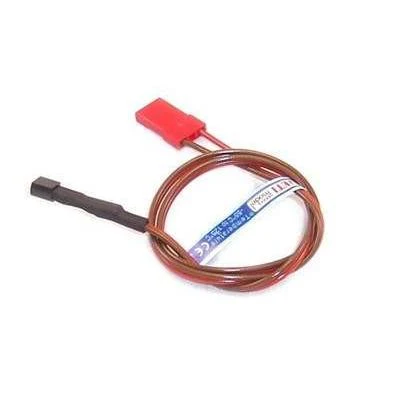
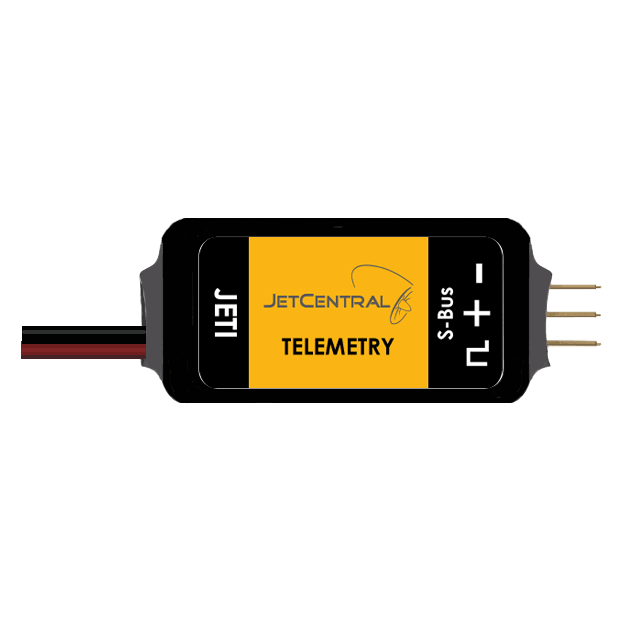
JetCentral JETI Telemetry Adapter V2
Small and lightweight telemetry adapter; you will get all the information from directly the turbine to your transmitter.
Supported System: Jeti
Size: 17mm x 37mm
Weight: 6g
Consumption: 32mA


Jet Central telemetry display for Jeti DC/DS-24, DS-12 Transmitters
FOR DISPLAY TELEMETRY WITH LUA APP YOU REQUIRE:
Requisites:
- Updated V2 Jeti Telemetry Module from Jet Central
- Transmitter firmware version 4.27 LUA or above
Installation:
For single-engine:


- Download JCHDT.lc to Apps folder in your transmitter, File for the DS/DC-24/16G2/14G2 or DS-12 can be downloaded HERE for DC/DS-16G1 require the file HERE
- Download/JetCentral/CF.png (for the color version) or
- Download/JetCentral/BLK.png (for the Black version).
- to the Apps/JetCentral/ folder in your transmitter IMPORTANT: RENAME DE FILE TO CF.png or BLK.png (If the folder doesn't exist, create a folder called JetCentral inside the Apps folder) Image File for the DS/DC-24, DS-16 or DS-12 can be download
Color Version HERE
Black Version HERE
- Go to: Menu > Applications > User Applications
- Press [F3][+] and select JCHDT.lc
- You can configure the App in Menu > Timers/Sensors > JetCentral HDT
- Add "JetCentral HDT" in Menu > Timers/Sensors > Displayed Telemetry for full telemetry display or...
- Add "JetCentral MFD" for a small telemetry display
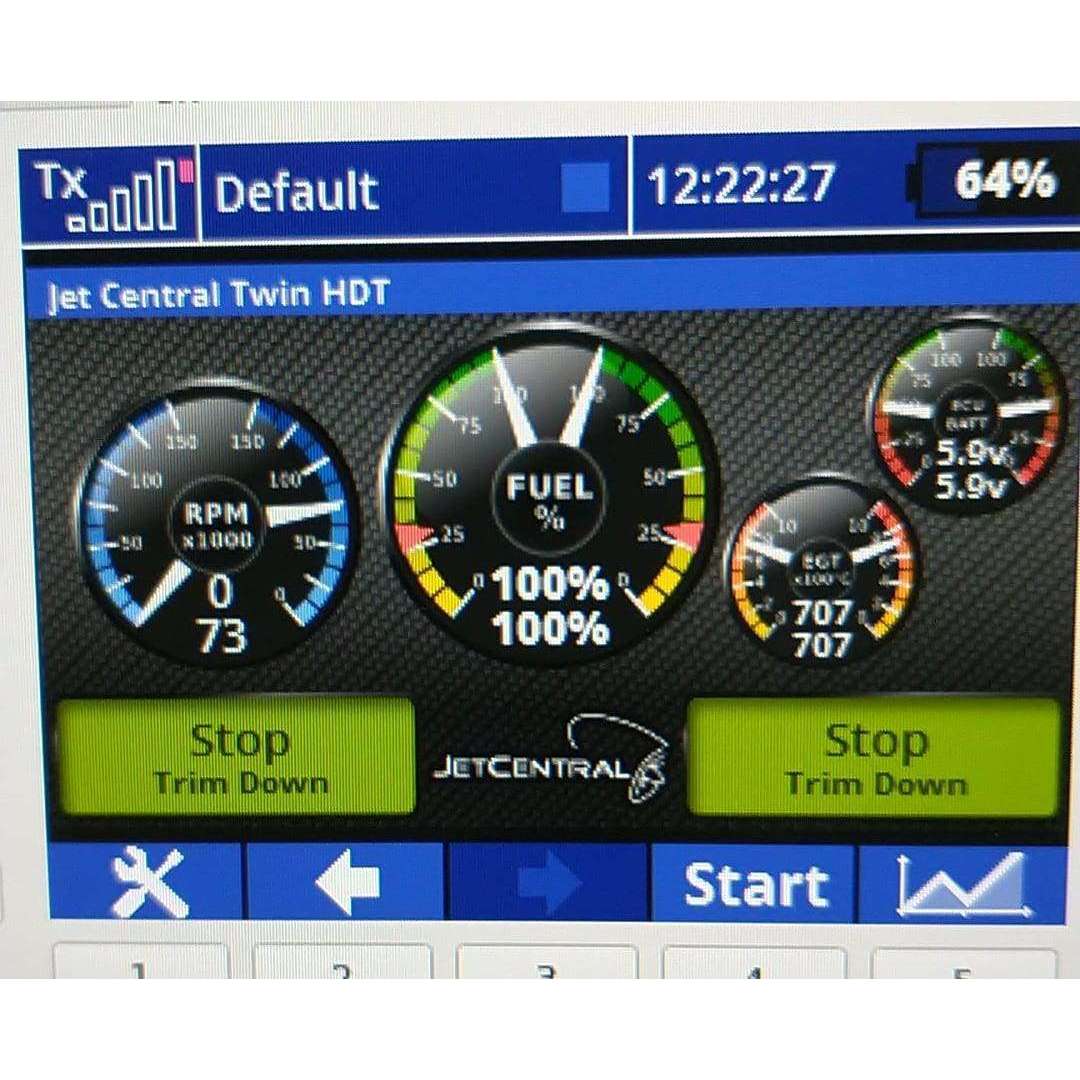
For multi-engine:

- Download JCTwin.lc to the Apps folder in your transmitter, Files for the DS/DC-24/16G2/14G2 or DS-12 can be downloaded HERE
- Download /JetCentral/CFTwin.png to the Apps/JetCentral/ folder in your transmitter IMPORTANT: RENAME DE FILE TO CFTwin.png (If the folder doesn't exist, create a folder called JetCentral inside the Apps folder) Image File for the DS/DC-24 or DS-12 can be downloaded HERE
- Go to: Menu > Applications > User Applications
- Press [F3][+] and select JCHDT.lc
- You can configure the App in Menu > Timers/Sensors > JetCentral HDT
- Add "JetCentral HDT" in Menu > Timers/Sensors > Displayed Telemetry for full telemetry display or...
- Add "JetCentral MFD" for a small telemetry display
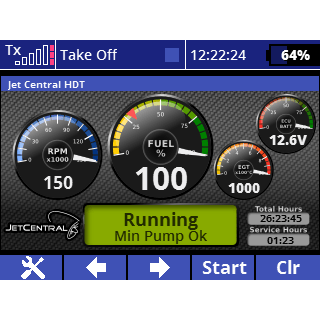
You can enable "Demo Mode" in App settings and simulate values with:
- [Sb] Status
- [P5] Fuel
- [P6] RPM
- [P7] EGT
- [P8] ECU Batt
Screenshots for DC/DS 24 & 12:


Screenshots for DC-DS 16V1


The LUA APP is a creation from Mr. Juan Carlos de la Parra for JetCentral.
Original: $180.00
-70%$180.00
$54.00Product Information
Product Information
Shipping & Returns
Shipping & Returns
Description
JetCentral JETI Telemetry Adapter V2
Small and lightweight telemetry adapter; you will get all the information from directly the turbine to your transmitter.
Supported System: Jeti
Size: 17mm x 37mm
Weight: 6g
Consumption: 32mA
Jet Central telemetry display for Jeti DC/DS-24, DS-12 Transmitters
FOR DISPLAY TELEMETRY WITH LUA APP YOU REQUIRE:
Requisites:
- Updated V2 Jeti Telemetry Module from Jet Central
- Transmitter firmware version 4.27 LUA or above
Installation:
For single-engine:
- Download JCHDT.lc to Apps folder in your transmitter, File for the DS/DC-24/16G2/14G2 or DS-12 can be downloaded HERE for DC/DS-16G1 require the file HERE
- Download/JetCentral/CF.png (for the color version) or
- Download/JetCentral/BLK.png (for the Black version).
- to the Apps/JetCentral/ folder in your transmitter IMPORTANT: RENAME DE FILE TO CF.png or BLK.png (If the folder doesn't exist, create a folder called JetCentral inside the Apps folder) Image File for the DS/DC-24, DS-16 or DS-12 can be download
Color Version HERE
Black Version HERE
- Go to: Menu > Applications > User Applications
- Press [F3][+] and select JCHDT.lc
- You can configure the App in Menu > Timers/Sensors > JetCentral HDT
- Add "JetCentral HDT" in Menu > Timers/Sensors > Displayed Telemetry for full telemetry display or...
- Add "JetCentral MFD" for a small telemetry display
For multi-engine:
- Download JCTwin.lc to the Apps folder in your transmitter, Files for the DS/DC-24/16G2/14G2 or DS-12 can be downloaded HERE
- Download /JetCentral/CFTwin.png to the Apps/JetCentral/ folder in your transmitter IMPORTANT: RENAME DE FILE TO CFTwin.png (If the folder doesn't exist, create a folder called JetCentral inside the Apps folder) Image File for the DS/DC-24 or DS-12 can be downloaded HERE
- Go to: Menu > Applications > User Applications
- Press [F3][+] and select JCHDT.lc
- You can configure the App in Menu > Timers/Sensors > JetCentral HDT
- Add "JetCentral HDT" in Menu > Timers/Sensors > Displayed Telemetry for full telemetry display or...
- Add "JetCentral MFD" for a small telemetry display
You can enable "Demo Mode" in App settings and simulate values with:
- [Sb] Status
- [P5] Fuel
- [P6] RPM
- [P7] EGT
- [P8] ECU Batt
Screenshots for DC/DS 24 & 12:
Screenshots for DC-DS 16V1
The LUA APP is a creation from Mr. Juan Carlos de la Parra for JetCentral.